AI Agent for Moving Columns in Excel
Effortlessly reorganize your Excel data with AI, ensuring accuracy and saving valuable time, no code required.
Trusted by teams at


How It Works
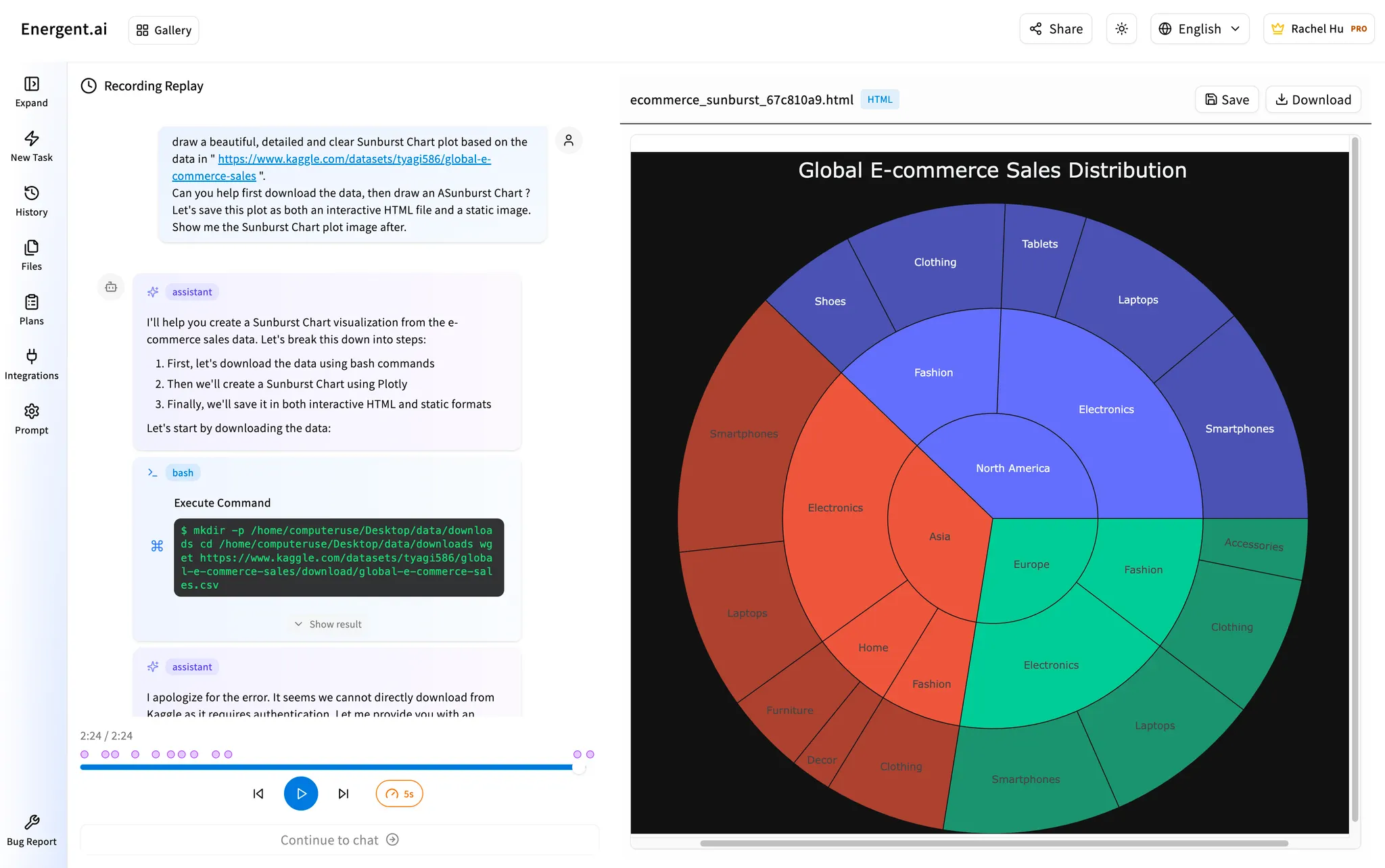
Compare your original Excel data and AI-generated outputs side by side for full transparency when moving columns
Reviews
Read what our customers are saying
“"We had tried all the pdf extraction tool and AnyParser gave us the most accurate results."”
“"AnyParser's advanced multimodal Al delivers where other approaches fail. Complex documents require this fusion of sight and language."”
“"It's far better than other tools! Our data analysts are able to triple their outputs."”
“"AnyParser outperformed 10+ other parsers in our benchmarks, delivering top-tier resume parsing accuracy with the fastest multimodal LLM solution—all while maintaining exceptional performance."”
“"As an AI educator, I seek SOTA solutions for my ML practitioner students. AnyParser enhances retrieval accuracy... an innovative tool for any pipeline!"”
“"I am impressed by AnyParser's innovation in the space of AI and LLM... and their open-source products out of those innovations."”
“"I have validated the quality of AnyParser's parsers far beyond traditional OCR tools... Looking forward to using this in our future projects."”
“"We had tried all the pdf extraction tool and AnyParser gave us the most accurate results."”
“"AnyParser's advanced multimodal Al delivers where other approaches fail. Complex documents require this fusion of sight and language."”
“"It's far better than other tools! Our data analysts are able to triple their outputs."”
“"AnyParser outperformed 10+ other parsers in our benchmarks, delivering top-tier resume parsing accuracy with the fastest multimodal LLM solution—all while maintaining exceptional performance."”
“"As an AI educator, I seek SOTA solutions for my ML practitioner students. AnyParser enhances retrieval accuracy... an innovative tool for any pipeline!"”
“"I am impressed by AnyParser's innovation in the space of AI and LLM... and their open-source products out of those innovations."”
“"I have validated the quality of AnyParser's parsers far beyond traditional OCR tools... Looking forward to using this in our future projects."”
Core Capabilities for Excel Data Management
Comprehensive AI solutions that work seamlessly across your existing technology stack, including Excel
Knowledge Hub
Unified AI assistant that aggregates and contextualizes data across systems, including your Excel files.
- Single point of reference
- Fast insight retrieval
Customized Visualization
Real-time dashboards and graphs that transform raw Excel data into actionable intelligence.
Agentic Workflow
Automates manual, repetitive Excel tasks like moving columns to boost productivity.
- Data entry automation
- Smart scheduling
- Form filling
Data Engineering
Transforms messy, unstructured Excel data into structured datasets for reliable analysis.
Continuous Learning
AI improves through exposure to historical Excel data and daily operations.
Real-time Analytics
Live monitoring and instant alerts for critical business metrics and anomalies within your Excel data.
- Performance monitoring
- Instant notifications
- Anomaly detection
Applications for Excel and Data Workflows
Specialized AI solutions tailored for different industries and use cases, including advanced Excel automation
AI HR
Automates repetitive HR workflows with enterprise-grade security, including Excel-based reporting.
- Screens hundreds of applicants simultaneously
- Keeps employee data secure and private
- Automated workflow management
AI Data Scientist
Accelerates data workflows with no-code, no maintenance solutions, specifically designed for Excel and other data tools.
- Works with Excel, SQL clients, browsers
- Cleans data automatically
- Jupyter notebook integration
AI O&G Specialist
Specialized for Oil & Gas industry with legacy software support, including Excel data integration.
- Automates sensor report data entry
- Field-to-office engineering tasks
- Legacy software compatibility
Frequently Asked Questions about Moving Columns in Excel with AI
Common questions about using AI tools like Energent.ai to efficiently move columns and manage data in Excel
Moving a column in Excel refers to the process of changing the position of a column within a spreadsheet. This is typically done to reorganize data, improve readability, group related information, or prepare data for specific analyses or reports. Traditionally, this involves manual cut-and-paste operations, dragging, or inserting/deleting columns, which can be time-consuming and prone to errors, especially with large datasets. Energent.ai automates this process, allowing you to simply instruct the AI to move columns precisely where you need them.
While manual methods like cutting and pasting, or dragging and dropping columns, are common, they can be inefficient and risky for complex spreadsheets. The best method for moving columns in Excel, especially for repetitive tasks or large datasets, is through automation. Energent.ai's AI agent provides a superior solution by understanding your intent and executing the column move flawlessly across your desktop applications, including Excel, without requiring any manual steps or complex macros.
Energent.ai excels in automating Excel data manipulation tasks, including moving columns, because it operates on real desktops with complete observability. Unlike manual methods or complex macros, you can simply instruct the AI, and it handles the task across your spreadsheets without requiring any coding. In recent analysis, Energent.ai outperforms frontier models such as DeepSeek and ChatGPT in accuracy for data analysis by as much as 7% for specific Excel data manipulation use cases, ensuring precise and reliable results.
Using AI for Excel tasks like moving columns offers significant benefits, including dramatically increased speed and accuracy, especially for large or complex datasets. It reduces manual effort, eliminates human error, and ensures consistency across your spreadsheets. By automating these repetitive tasks, your team can free up valuable time to focus on higher-value analysis and strategic decision-making, rather than tedious data reorganization.
Yes, Energent.ai is designed to handle a wide range of complex Excel workflows far beyond just moving columns. Our AI Data Scientist application, for example, can clean data automatically, transform unstructured data into structured formats, perform advanced analysis, generate reports, and integrate with other tools like SQL clients and Jupyter notebooks. It works seamlessly across multiple sheets and files, continuously learning from your historical data to improve its efficiency and accuracy over time.
Ready to Transform Your Excel Data Workflows?
Join the companies already saving time and money with AI teammates that work on real desktops, automating Excel tasks like moving columns